Designing a Personalized Learning System for Soft Skills

Grove is an educational mobile platform of bite-sized lessons that helps busy people, especially blue-collar and service workers moving into office roles, build transferable soft skills.

  • Mobile
  • B2C
  • Design Competition
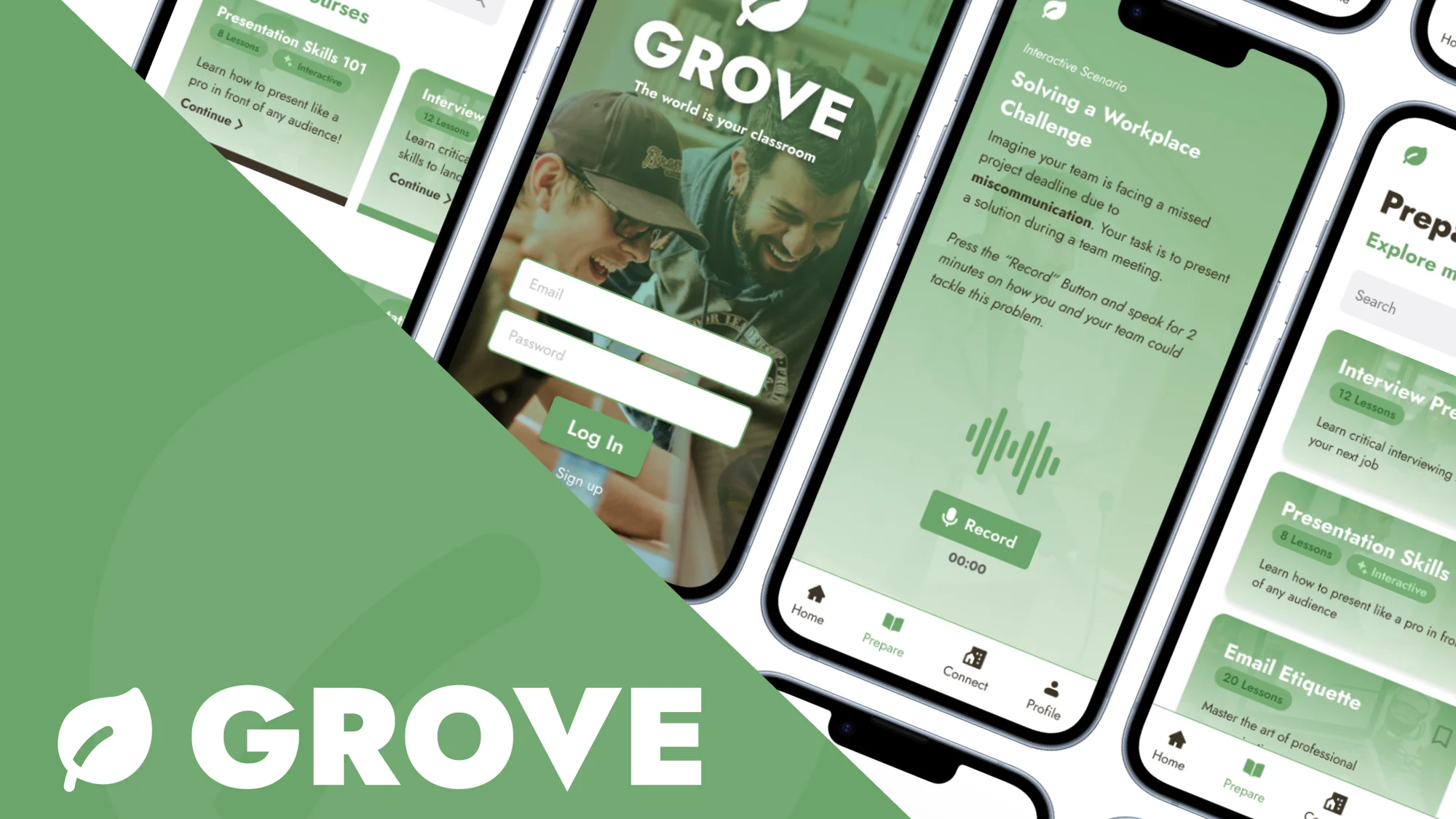
Grove’s leaf logo and “Grove” wordmark with the tagline “The World is Your Classroom”, beside tilted phones: a lesson, sign-in, a workplace scenario with a Record button, and course picks.
Role
Product Designer
Industry
Mobile EduTech
Timeframe
Apr 2024 (1 month)
Tools
Figma
FigJam
Adobe CC
Skills
Product Design
User Research
Visual Identity

How might we enhance learning approaches to better align with modern needs?

The term “modern needs” immediately brings to mind the rapid advancements in technology (AI, automation, etc) and the evolving strategies businesses employ to hire and retain talent.
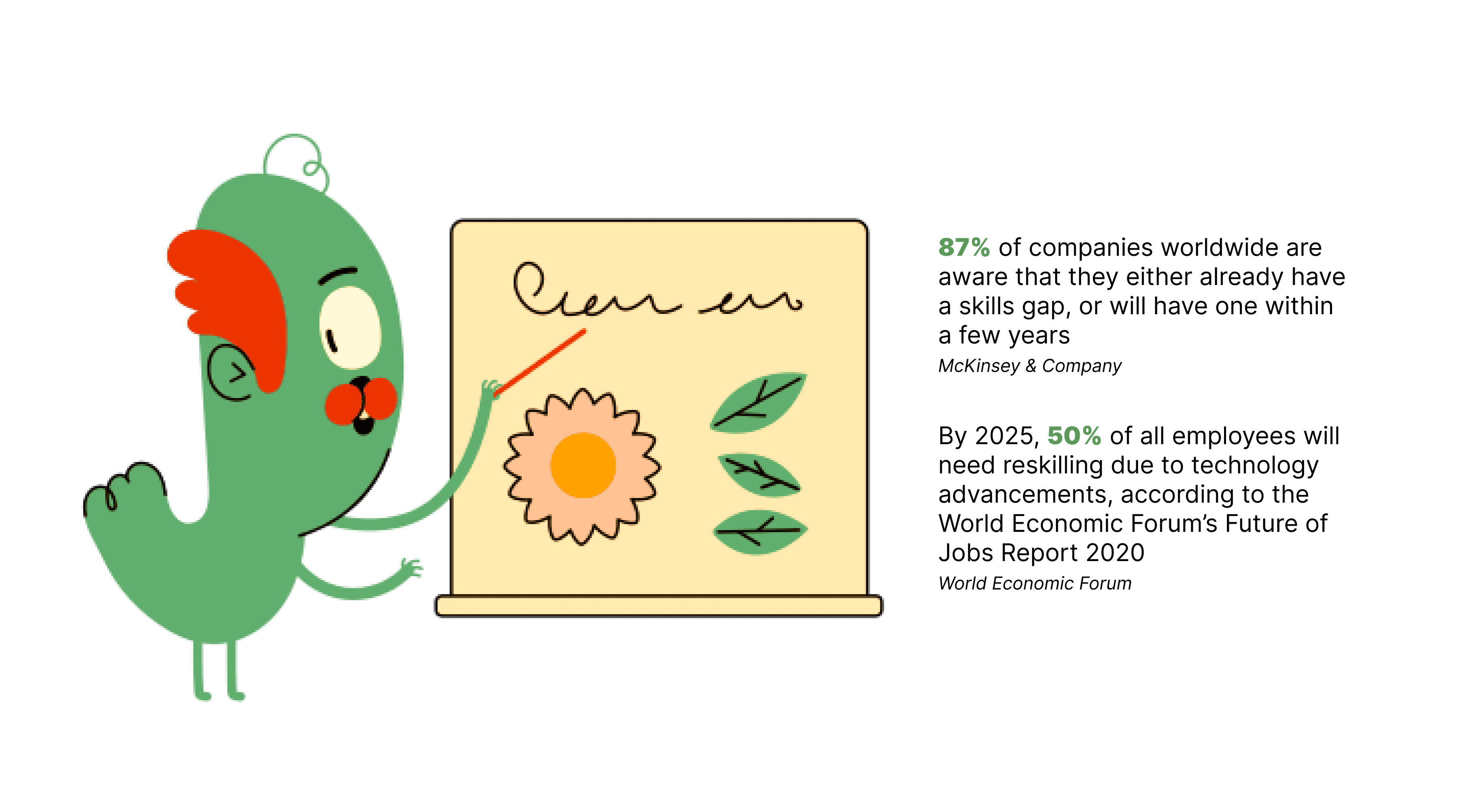
A green character points a stick at a board with a flower and leaves. Beside it: “87% of companies worldwide are aware that they either already have a skills gap, or will have one within a few years” (McKinsey & Company) and “By 2025, 50% of all employees will need reskilling due to technology advancements, according to the World Economic Forum’s Future of Jobs Report 2020.”

Due to these rapid changes, there is a growing disparity between the skills and knowledge required by the modern workforce and the tools to equip employees with those skills.

People who may want to enter the workforce need to do more training and research than ever before (and this is not just for technical skills, but also soft skills!)

Delving into the problem space with user interviews and surveys

But before delving into this problem, we wanted to get to know our problem space better, so we held interviews and surveys with 13 participants who are active participants in todays workforce.
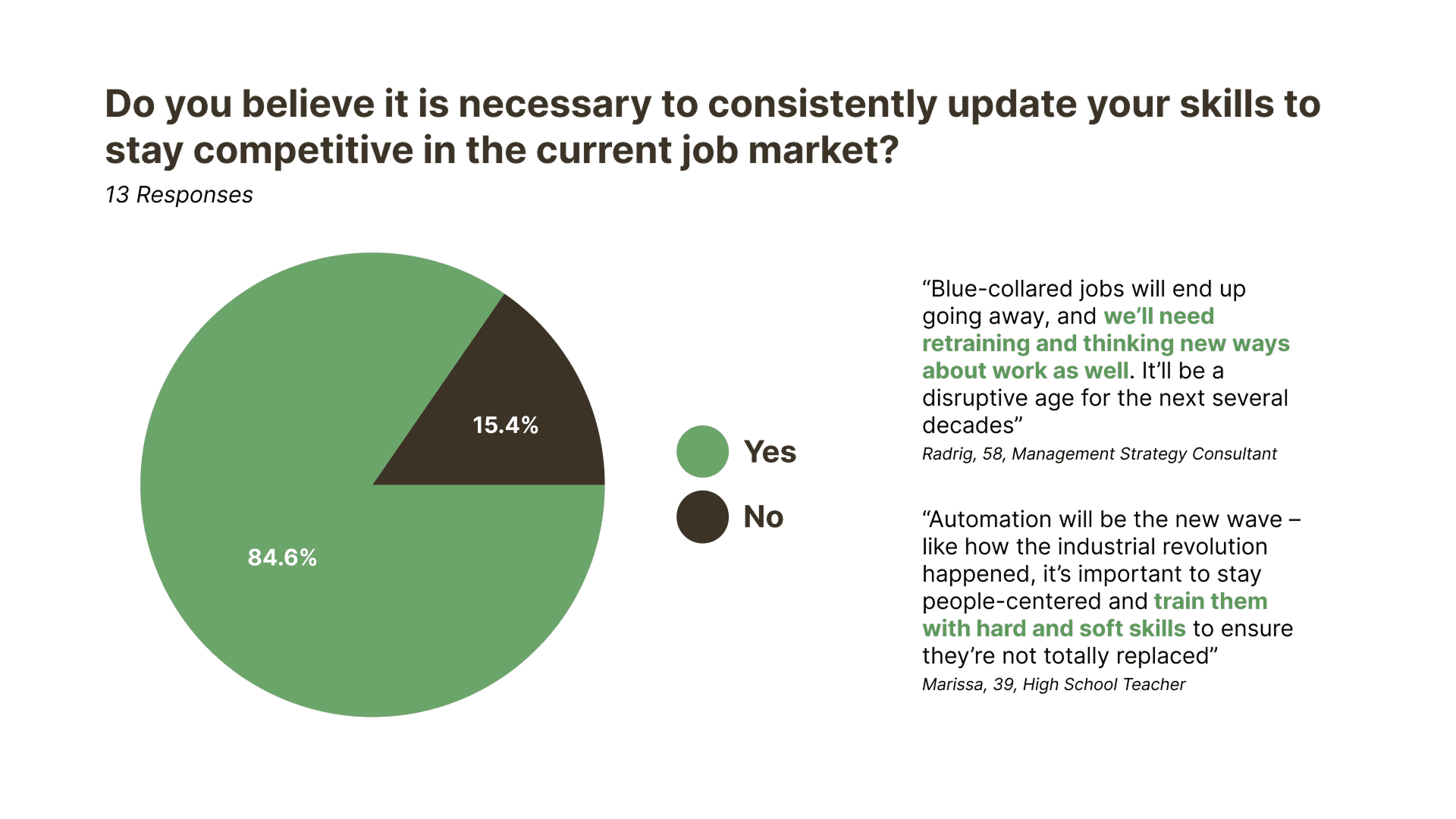
Survey results, 13 responses, for “Do you believe it is necessary to consistently update your skills to stay competitive in the current job market?” A pie chart shows 84.6% yes and 15.4% no. Two quotes sit beside it: “Blue-collared jobs will end up going away, and we’ll need retraining and thinking new ways about work as well. It’ll be a disruptive age for the next several decades” (Radrig, 58, Management Strategy Consultant) and “Automation will be the new wave – like how the industrial revolution happened, it’s important to stay people-centered and train them with hard and soft skills to ensure they’re not totally replaced” (Marissa, 39, High School Teacher).

What we found was a pretty strong skew toward retraining, mostly driven by fear of automation. The majority of respondents felt like change was inevitable, and the only way to stay relevant is to keep up-skilling.

That got us thinking about workers who might be more directly impacted, especially blue-collar workers (or service workers) who may need to transition into white-collar roles.
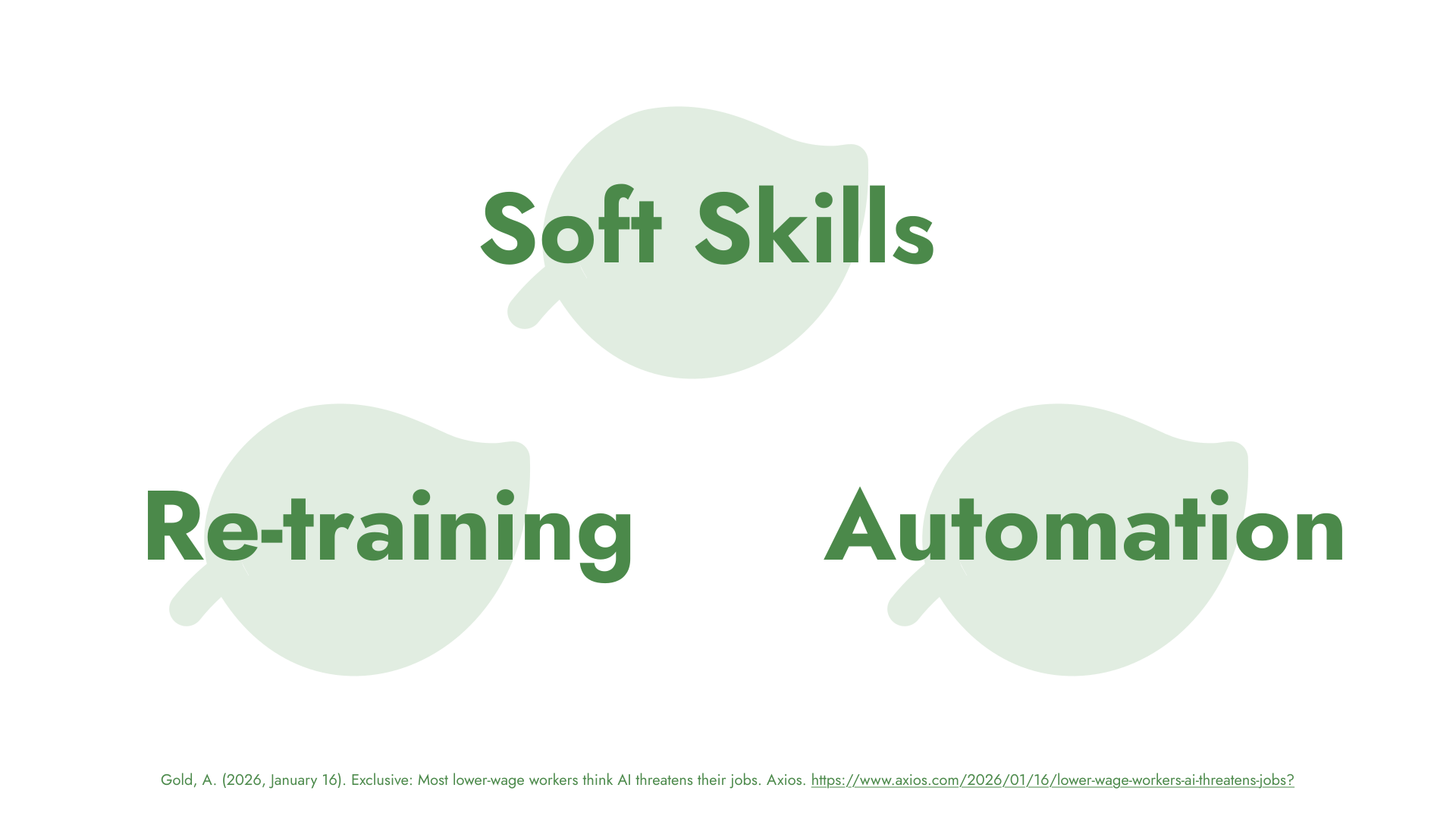
Three words on pale green leaves: Soft Skills, Re-training and Automation. A citation to an Axios article on lower-wage workers and AI runs along the bottom.

We also found through our secondary research that more than half of lower-wage US workers believe AI threatens their job security with upskilling as the solution to adapting to this post-AI job market.

But here’s the thing: transitioning to a new role isn’t just about learning new technical skills. It’s also about picking up the soft skills that corporate environments quietly expect. Things like how to speak up in meetings, how to write a professional email, how to present your ideas, how to navigate workplace dynamics, etc.

A lot of us take those skills for granted because we’ve grown into them over time. But if someone is switching industries entirely, where do they actually learn that?

Existing solutions often focus on academic education, foundational subjects, and language learning.

But they overlook the critical need for accessible platforms that provide workplace-contextual lessons.
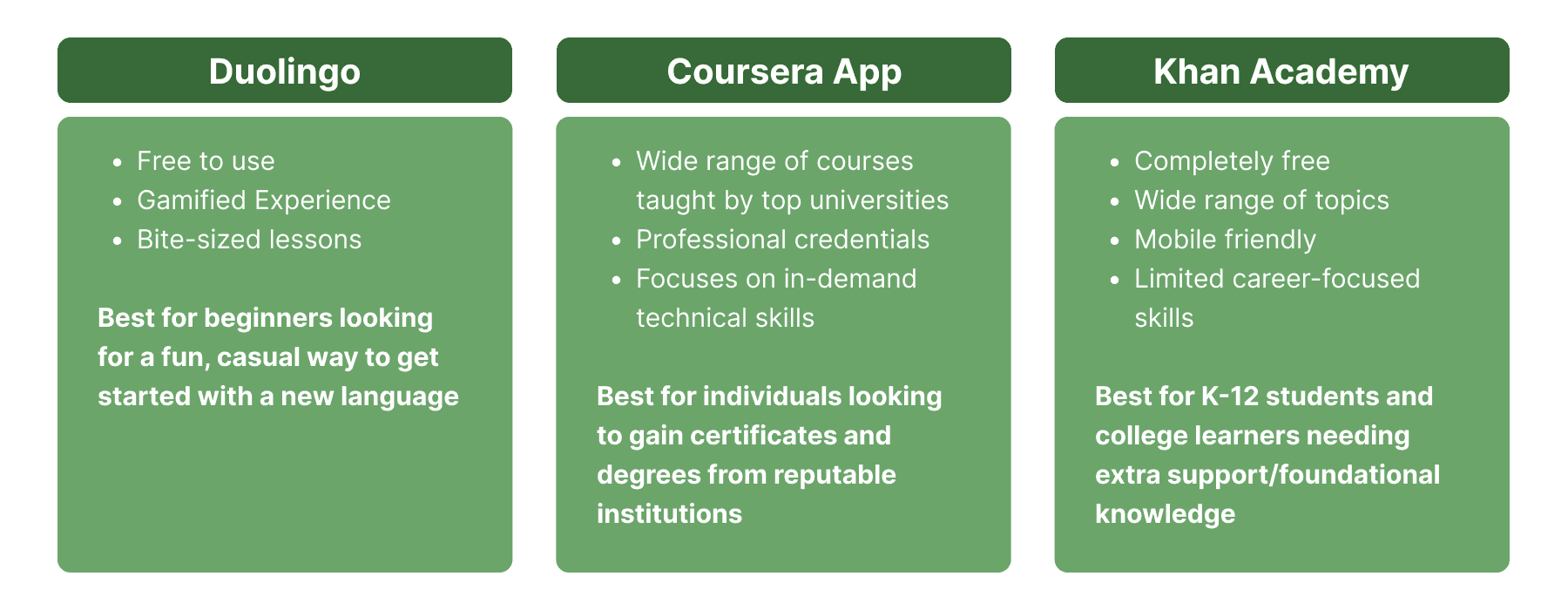
Three existing learning apps compared. Duolingo: free to use, gamified experience, bite-sized lessons; best for beginners looking for a fun, casual way to get started with a new language. Coursera App: wide range of courses taught by top universities, professional credentials, focuses on in-demand technical skills; best for individuals looking to gain certificates and degrees from reputable institutions. Khan Academy: completely free, wide range of topics, mobile friendly, limited career-focused skills; best for K-12 students and college learners needing extra support or foundational knowledge.

Meet Jonathan, a Hopeful Job Transitioner

Using aggregated information gleaned from our survey and interview participants, we crafted a persona for a better understanding of user pain points and needs.
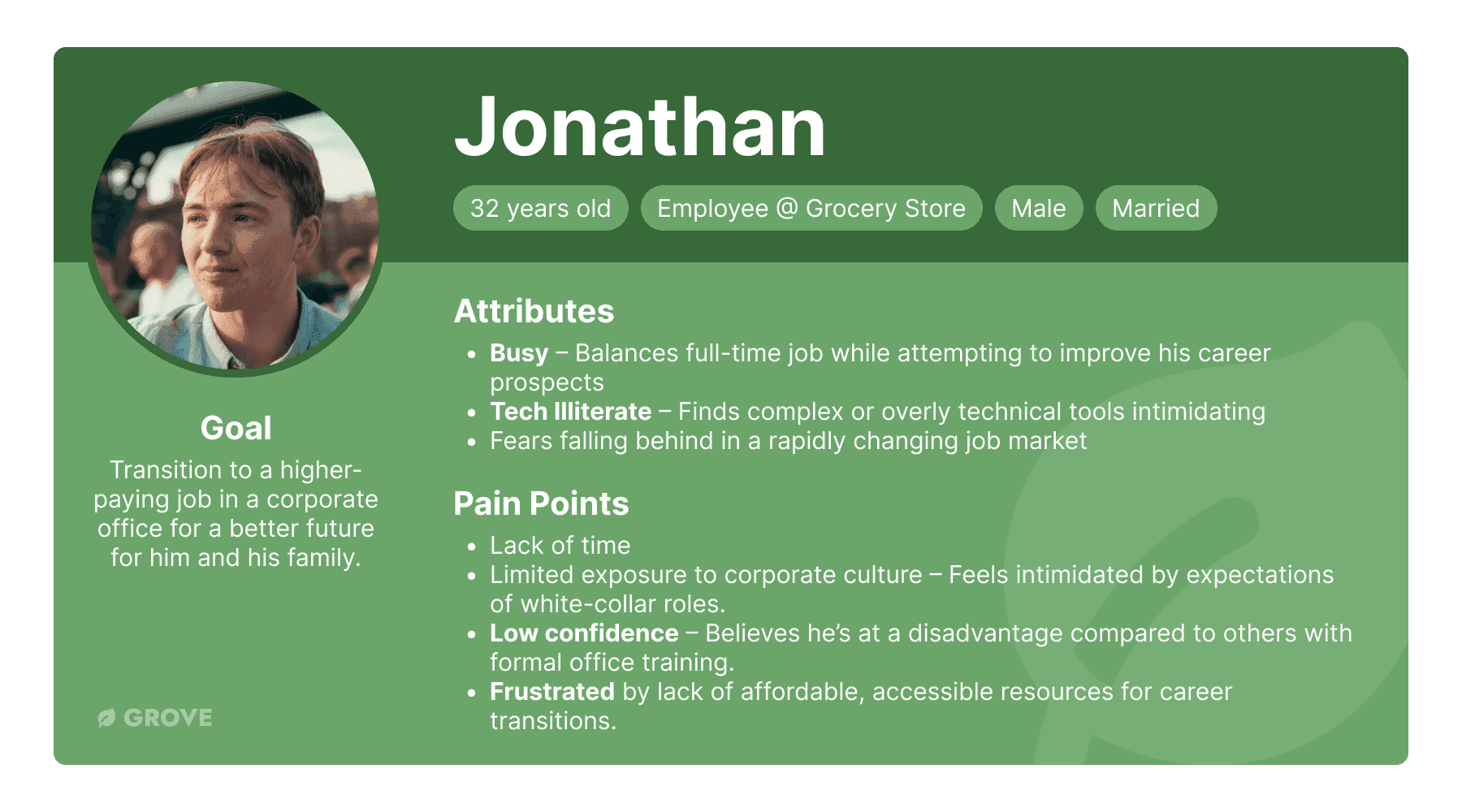
Persona card for Jonathan: 32 years old, employee at a grocery store, male, married. Goal: transition to a higher-paying job in a corporate office for a better future for him and his family. Attributes: busy, balancing a full-time job while trying to improve his career prospects; tech illiterate, finding complex or overly technical tools intimidating; fears falling behind in a rapidly changing job market. Pain points: lack of time; limited exposure to corporate culture; low confidence; frustrated by a lack of affordable, accessible resources for career transitions.

Meet Jonathan: He recently got laid off at his job at a grocery store because they implemented AI check-out systems.

He has limited exposure to corporate culture and has low confidence, which gives him the belief that he does not belong in an office space.

But due to the changes in the workforce, he has no choice but to adapt.

This is where our solution comes in to help.

How might we provide a platform to help blue-collar and service workers build essential and transferable soft skills tailored to modern job market demands?

We wanted our solution to fill a market niche while effectively addressing the problem, so during the ideation process, we focused on several key factors.
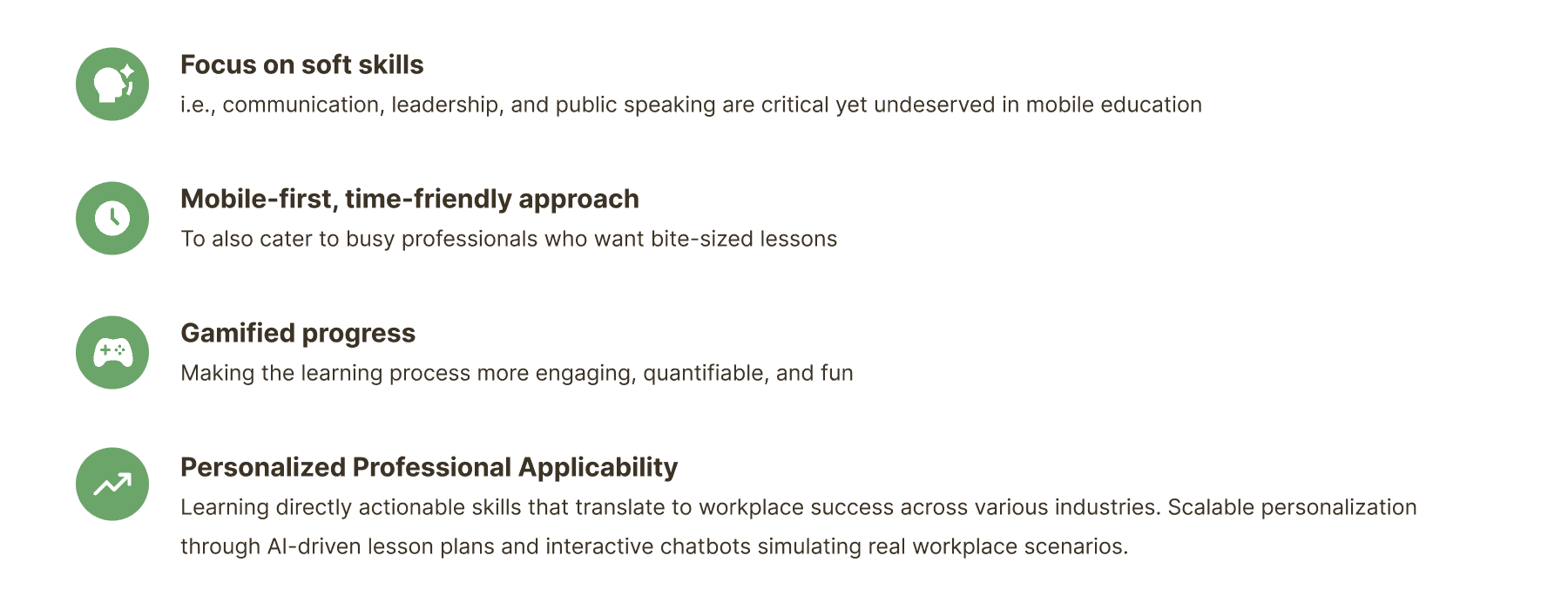
Four ideation factors. Focus on soft skills: communication, leadership and public speaking are critical yet underserved in mobile education. Mobile-first, time-friendly approach: to cater to busy professionals who want bite-sized lessons. Gamified progress: making the learning process more engaging, quantifiable and fun. Personalized professional applicability: learning directly actionable skills that translate to workplace success across industries, with scalable personalization through AI-driven lesson plans and interactive chatbots simulating real workplace scenarios.

Building a design system that inspires learning

To reflect the richness and enjoyment of learning, we developed a vibrant visual identity centered around the color green, symbolizing personal growth and skill development.
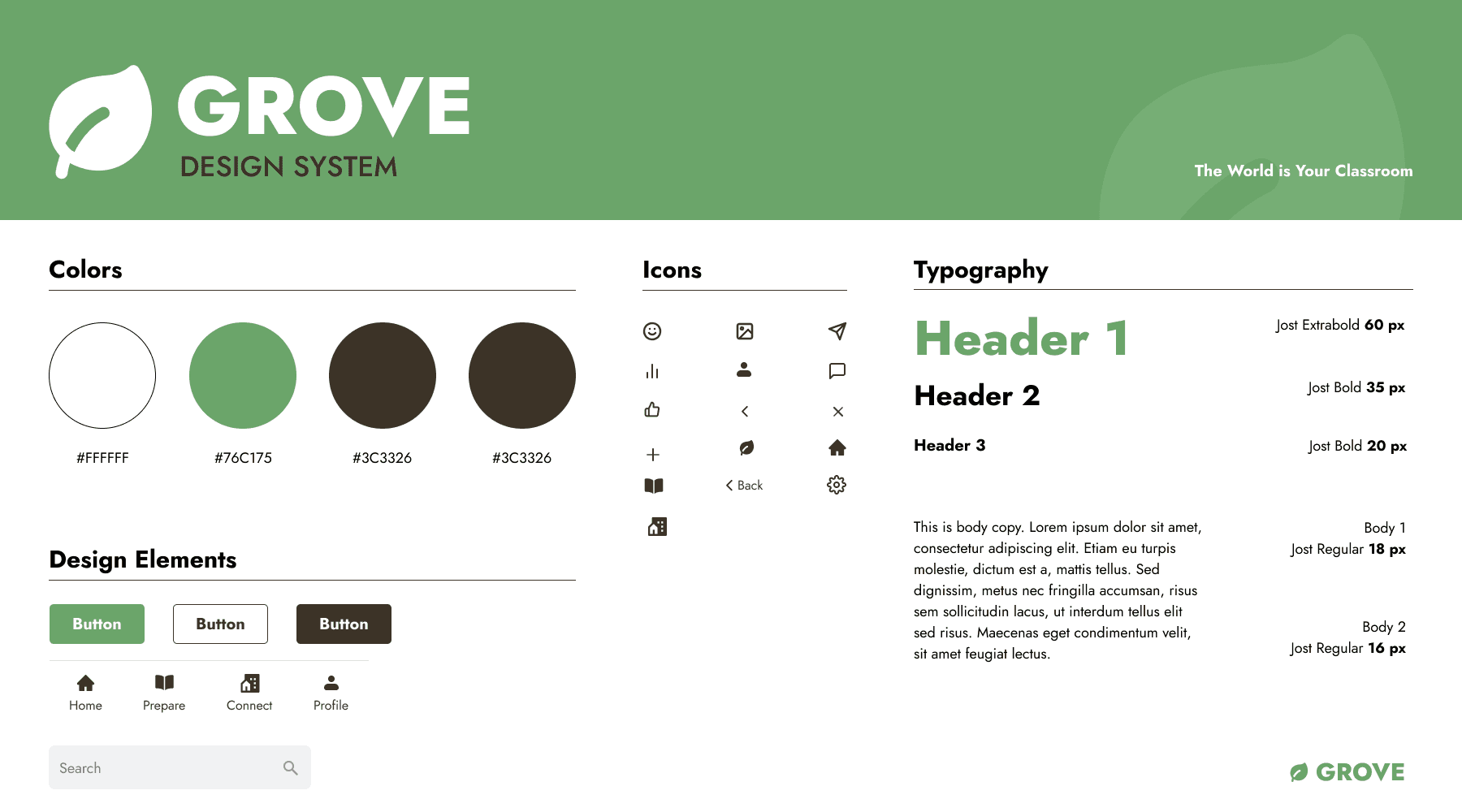
The Grove design system sheet: the leaf logo and wordmark, a palette of white, green and dark brown, an icon set, primary, outline and dark buttons, a four-tab navigation bar (Home, Prepare, Connect, Profile), a search field, and a Jost type scale from a 60px header to 16px body.

Final Solution

And with that, we arrive at our solution.

Grove is an educational mobile platform that allows bite-sized lessons for busy individuals who are looking for transferable soft skills.
The Grove leaf logo and “Grove” wordmark with the tagline “The World is Your Classroom”, over a green-tinted photo of people working at laptops around a table.

Link to prototype(opens in a new tab)
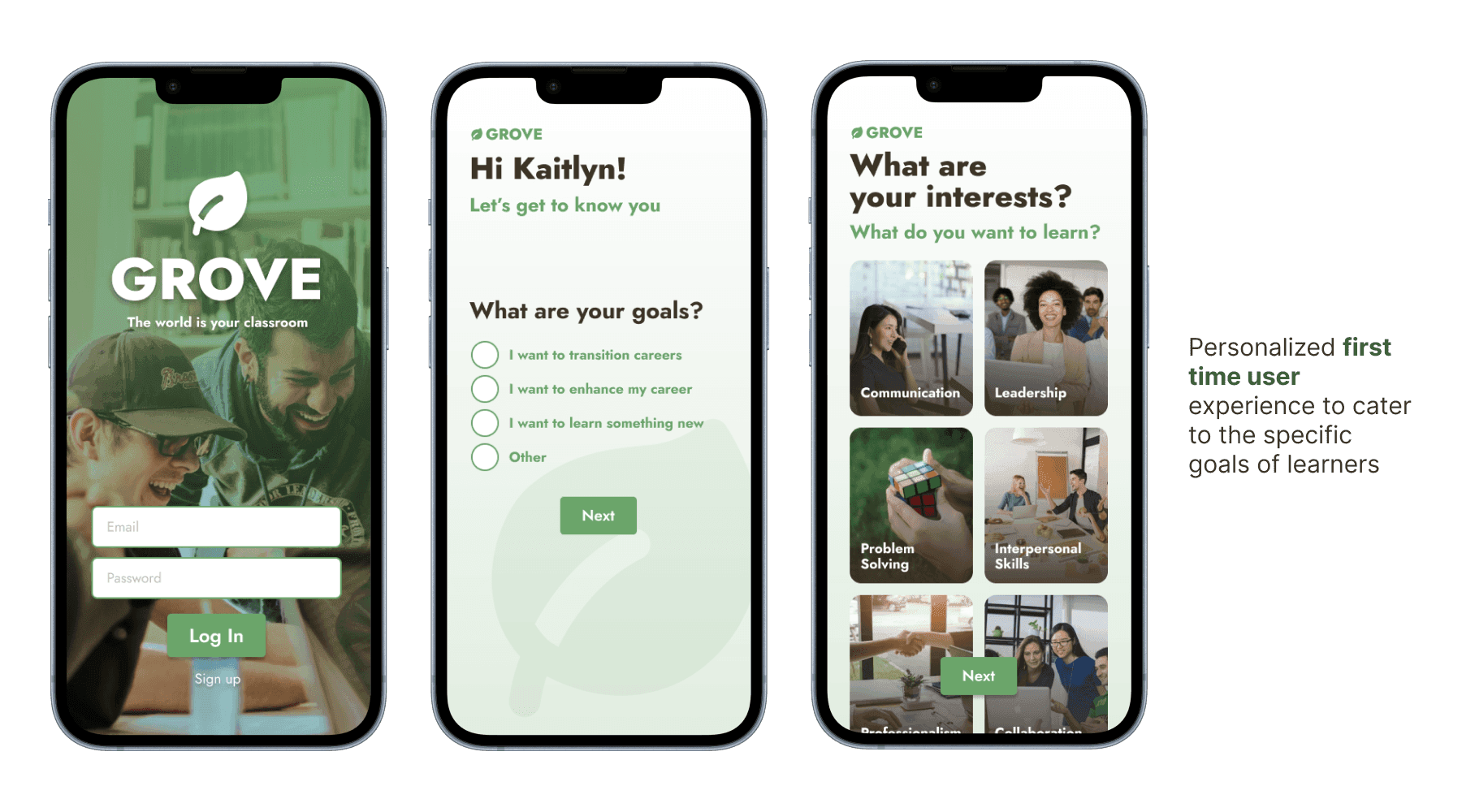
Three onboarding screens: the green sign-in screen, “Hi Kaitlyn! Let’s get to know you” asking “What are your goals?” with options such as “I want to transition careers”, and “What are your interests?” with photo tiles for Communication, Leadership, Problem Solving and Interpersonal Skills.
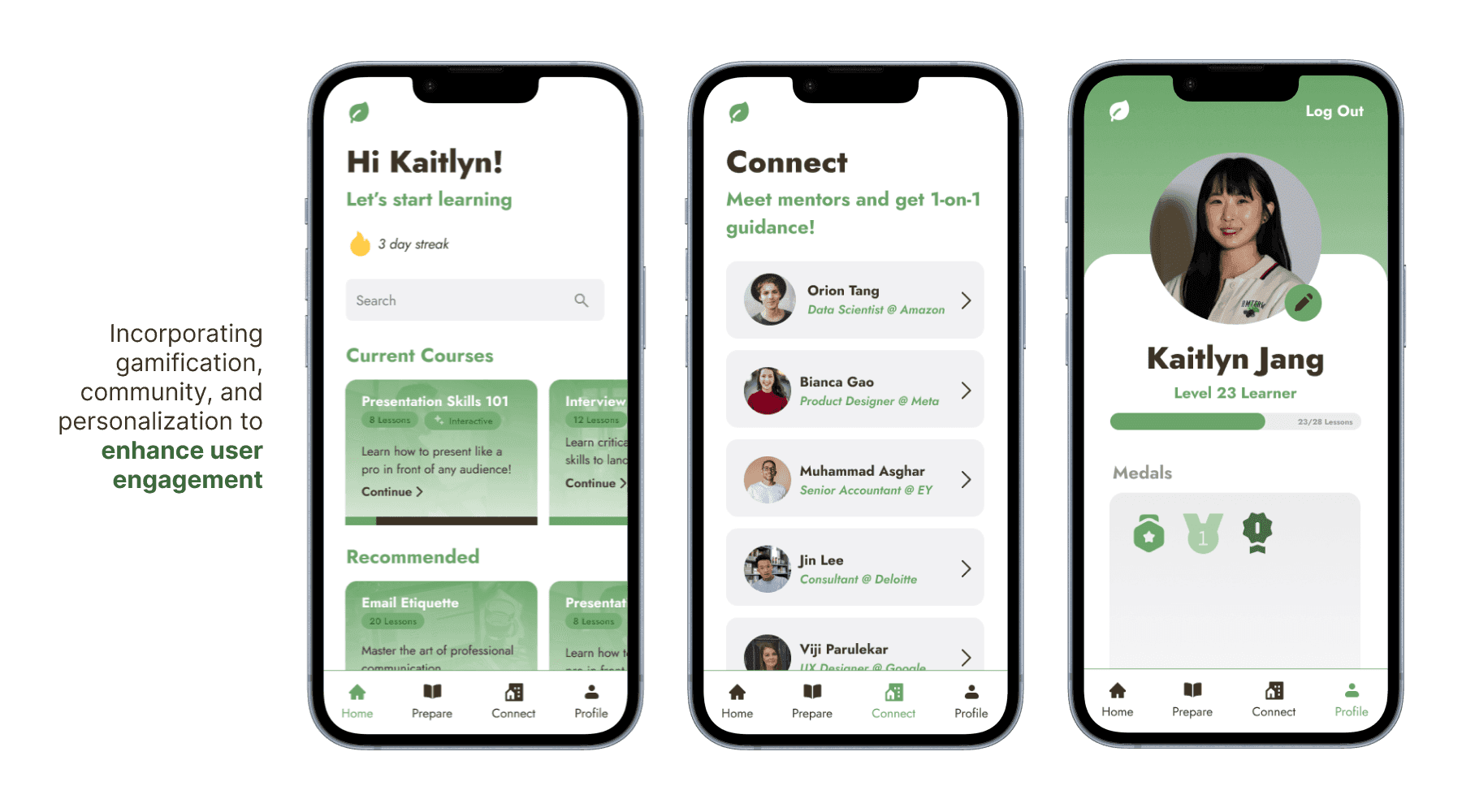
Three screens. Home greets the learner with a 3-day streak, current courses and recommendations such as Email Etiquette. Connect lists mentors with their roles and companies for 1-on-1 guidance. Profile shows a Level 23 Learner progress bar at 23 of 28 lessons and earned medals.
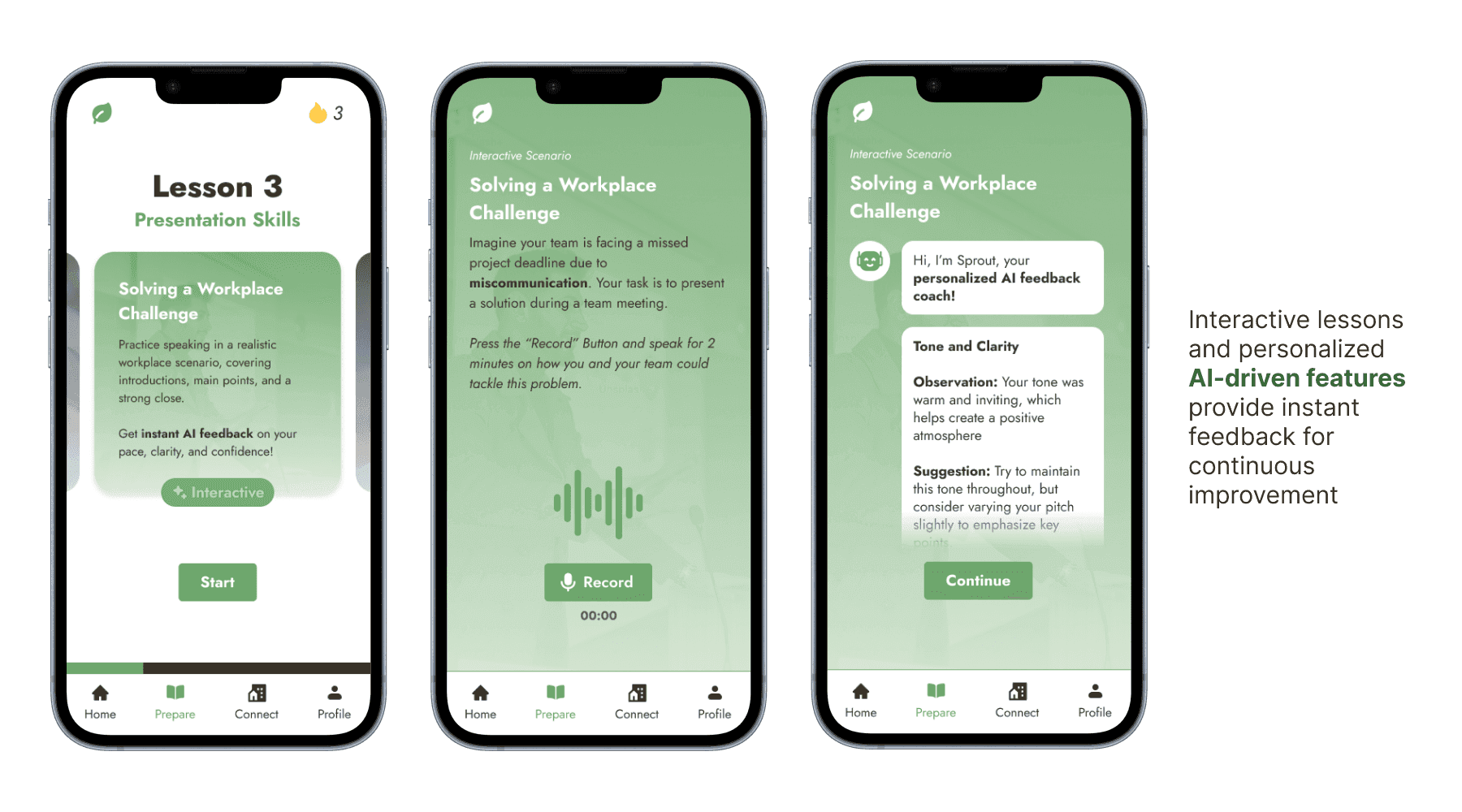
Three lesson screens. Lesson 3 of Presentation Skills introduces “Solving a Workplace Challenge”. The scenario asks the learner to record two minutes on how their team could fix a missed deadline caused by miscommunication. Sprout, an AI feedback coach, then responds with an observation and a suggestion on tone and clarity.

The jewel of our product is really these interactive lessons that re-create a realistic corporate scenario. These are social scenarios such as interacting with your colleagues, presenting, interviewing, etc

What we found interesting in our secondary research was that users anthropomorphize AI when they’re given human-like qualities in their interaction experience (e.g. personality, intonation, the voice chat features in itself) and this factor makes these interactive lessons all the more effective.
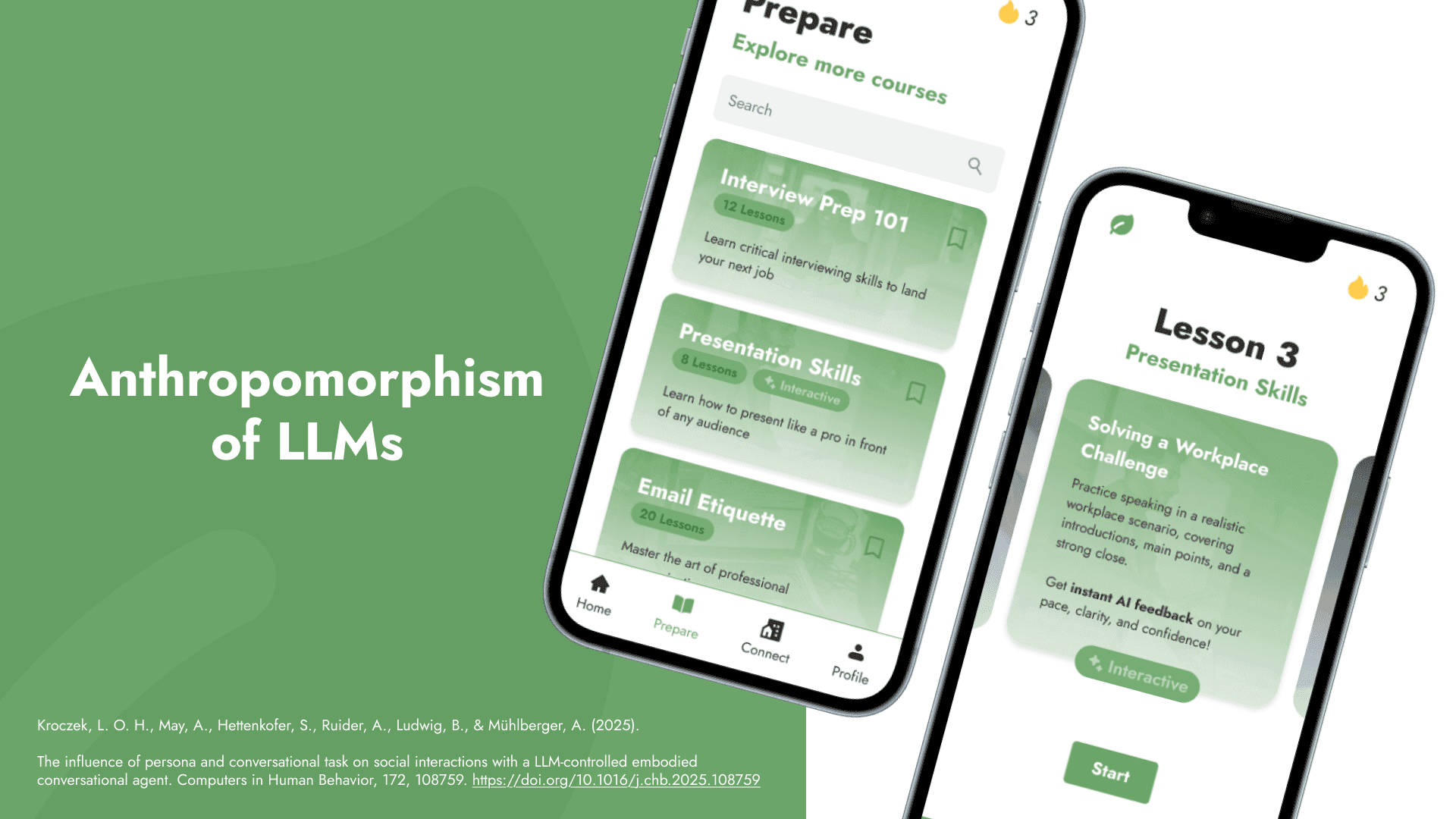
A slide titled “Anthropomorphism of LLMs” beside two phone screens, the Prepare course list and Lesson 3, Presentation Skills, “Solving a Workplace Challenge”. A citation reads: Kroczek, L. O. H., May, A., Hettenkofer, S., Ruider, A., Ludwig, B., & Mühlberger, A. (2025). The influence of persona and conversational task on social interactions with a LLM-controlled embodied conversational agent. Computers in Human Behavior, 172, 108759.
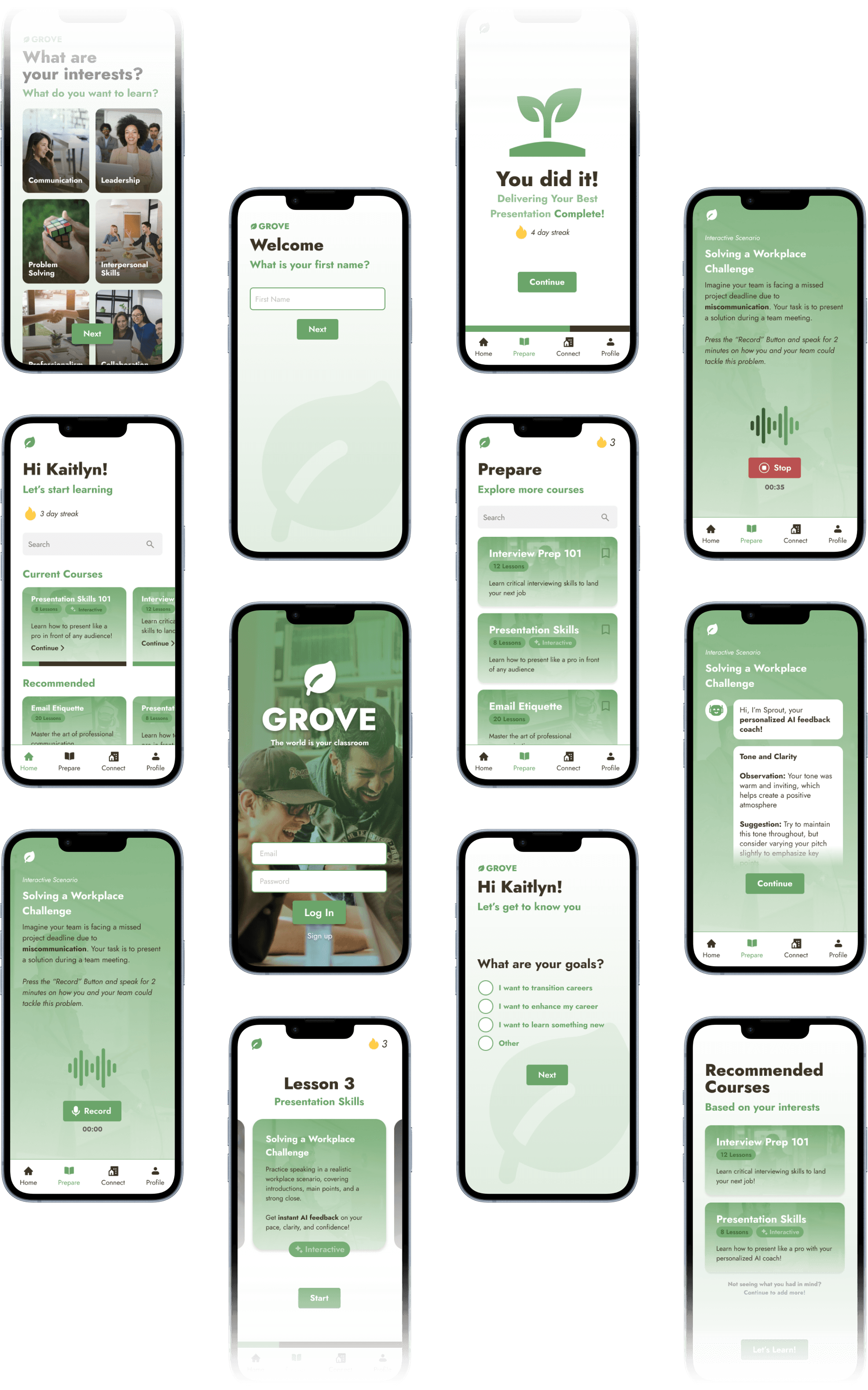
A staggered grid of Grove’s high-fidelity screens in four columns: sign-in over a photo of two people laughing, a “What are your interests?” tile picker, a “Welcome, what is your first name?” prompt, “Hi Kaitlyn! What are your goals?” with options such as “I want to transition careers”, the Prepare course list, a Solving a Workplace Challenge recording screen, an AI feedback screen from Sprout with a tone and clarity observation, a “You did it!” completion screen with a sprout illustration and a 4-day streak, Lesson 3 Presentation Skills, and Recommended Courses. The top and bottom edges fade to transparent.

What I’ve Learned

This was my first design competition! It was especially interesting working (and conducting primary research) under rigid time constraints. I’ve learned that it was critical to outline your design priorities from the start to have an effective allocation of your time.

At the same time, you can plan everything at the start and still make many, many unaccounted errors along the way—which is fun in itself! These make the iteration process all the more rewarding, and we were able to create a product that effectively addresses the problem space.

Thanks for reading!
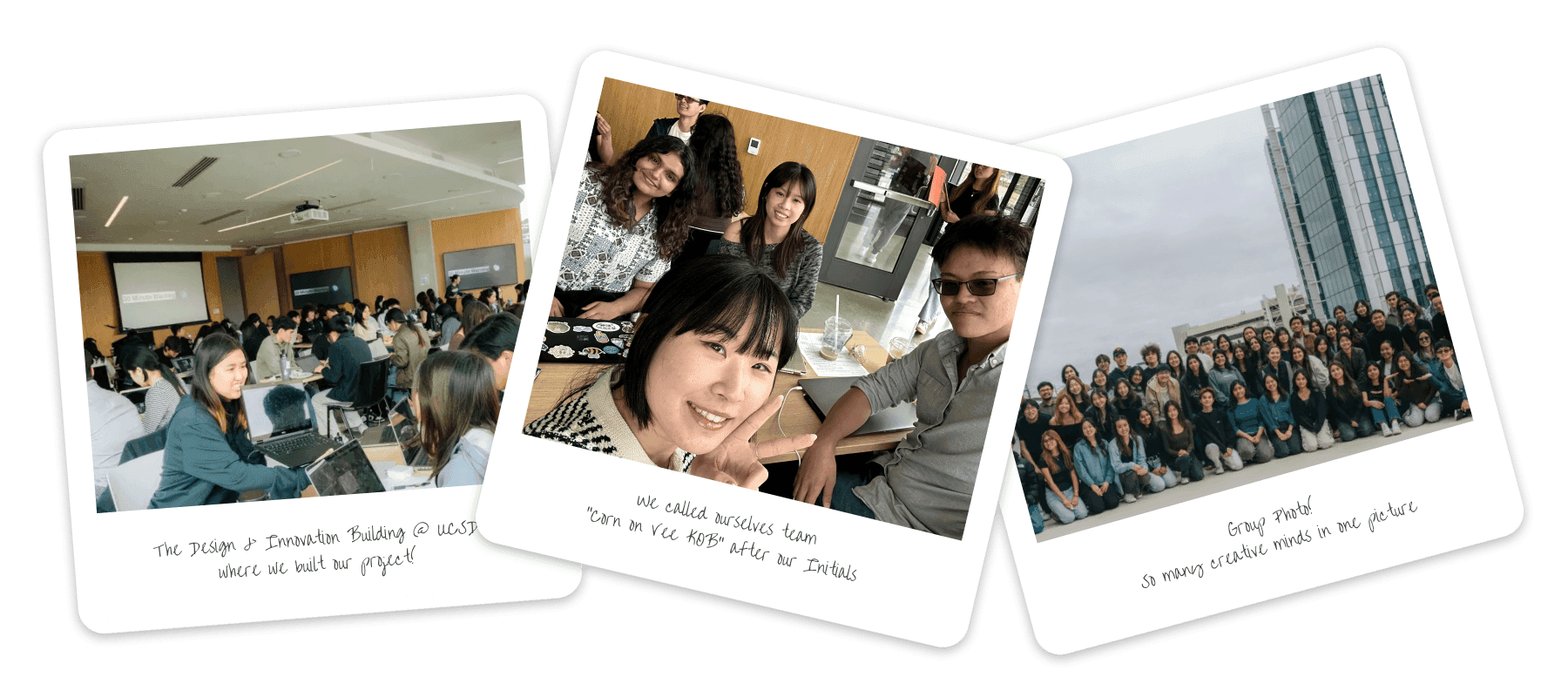
Three polaroid-style photos. A room full of students working at laptops in UC San Diego’s Design & Innovation Building, a team selfie at a table, and a large group photo of participants outside.

Next Case Study